
Table of Contents
- Purpose
- Prerequisites
- Accessing the regex definitions page
- Creating a regex definition
- Example regular expressions
Purpose
Please note this article is tailored for technical users. If you need assistance with setting up Regex Definitions functionality please contact our support team.
The Regex Definitions page allows regular expressions to be created which can then be applied to Purchase Order Product Custom Fields when extracting data for verification while using the Mobile app.
For example, in the scenario where you are picking products within a Sale Order, and for each product that you pick & pack you need to verify that it belongs to the correct batch. The products are labelled with a GS1 barcode that contains the batch within, but you need the system to only verify the batch number, not the entire label.
In this scenario, a regex definition can be applied to the Batch Number's Purchase Order Product custom field so that when the GS1 label is scanned, the batch number is extracted from the full barcode and used for verification.
Prerequisites
To use Regex Definitions you must enable SSCC against the relevant Purchase Order Product Custom Field. See Enabling and using SSCC/GS1 Labels for more information.
Accessing the Regex Definitions Page
-
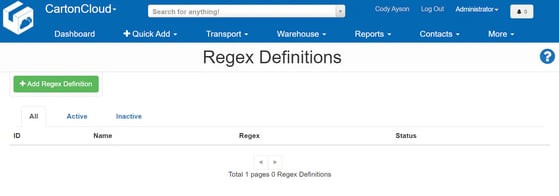
To access the page, type "Regex Definitions" in the Search for Anything! bar at the top of the page. Alternatively, select the link provided within the Purchase Order Product Custom Fields page.
Creating a Regex Definition
-
To create a Regex Definition, select +Add Regex Definition.
-
Give the new definition a descriptive name
-
Next, provide the regular expression that you wish to use to match the POP custom field. Regular Expressions can be tested using regex101.com. Contact support if you require assistance with creating a regular expression.
-
Leave the definition set as active, and select Save.
Example Regular Expressions
|
Suggested Name |
Regular Expression |
Explanation |
|
|
Batch Number |
|
When applied to a POP custom field containing a batch number this regular expression will extract the batch number out of a GS1 barcode number by using its GS1 Application Identifier. In combination with enabling Verify when picking and setting Is Required? to 'Yes on Outgoing' on the Purchase order product custom field settings, this can be used to verify that the correct stock is being selected during picking by verifying against the batch number contained within the GS1 barcode. |