Table of Contents
Purpose
Drivers can be given a summary of their COD Consignments for the day. This is useful if the Driver has a large number of Consignments that require COD.
How to Export Cash on Delivery Summary Sheet
- Navigate to the Run Sheets page, Transport>Run Sheets.
- Select Export and then COD Sheets.

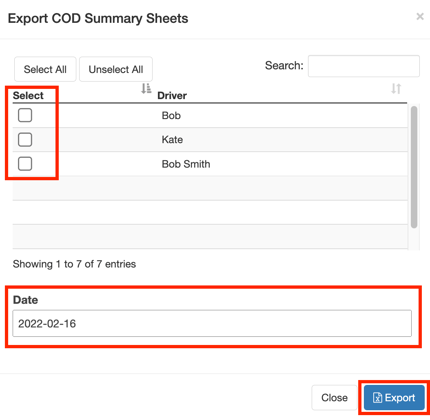
- Select the applicable drivers using the Select box.
- Select the relevant Date.
- Click Export.