
Table of Contents
Purpose
The CartonCloud mobile app allows Drivers to collect Cash On Delivery (COD) as part of the POD process. Identifying COD Consignments
COD consignments are marked in the consignment list with a "COD" label just above the consignment type label.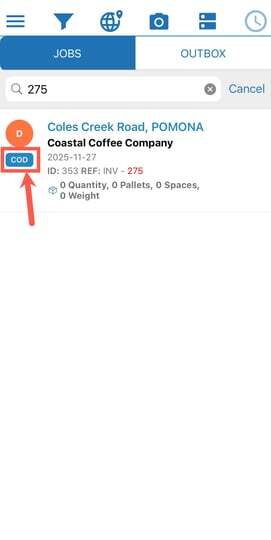
In addition, on selecting the COD consignment from the list more COD information is available in the consignment Details tab.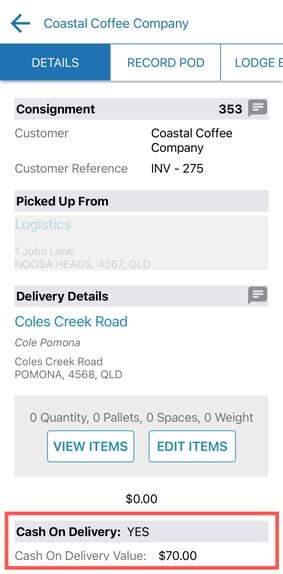
Collecting COD
CODs are collected as part of the POD process. As for a standard consignment simply select the "Record POD" tab in the Consignment Detail view.
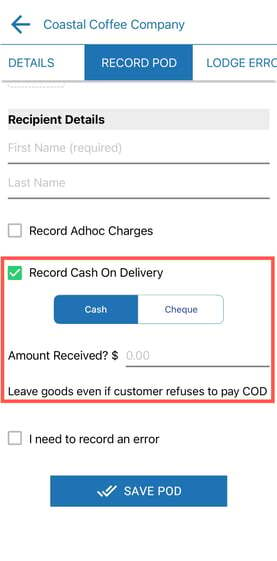
If COD is required, Record Cash On Delivery will be automatically ticked and more input fields related to the COD collection displayed. Edit these fields as needed and follow the instructions provided, e.g. "Only leave goods if customer pays COD".
If the COD has been marked as "required" in the CartonCloud system, not ticking the Record Cash On Delivery box and selecting Save POD will bring up an alert asking for the reason of not collecting COD before allowing you to proceed.